Glide path
Your allowance across the week against the even-pace diagonal. Above the line, you're ahead.
 Agent Runway
Download
Agent Runway
Download
For Claude and OpenAI subscribers
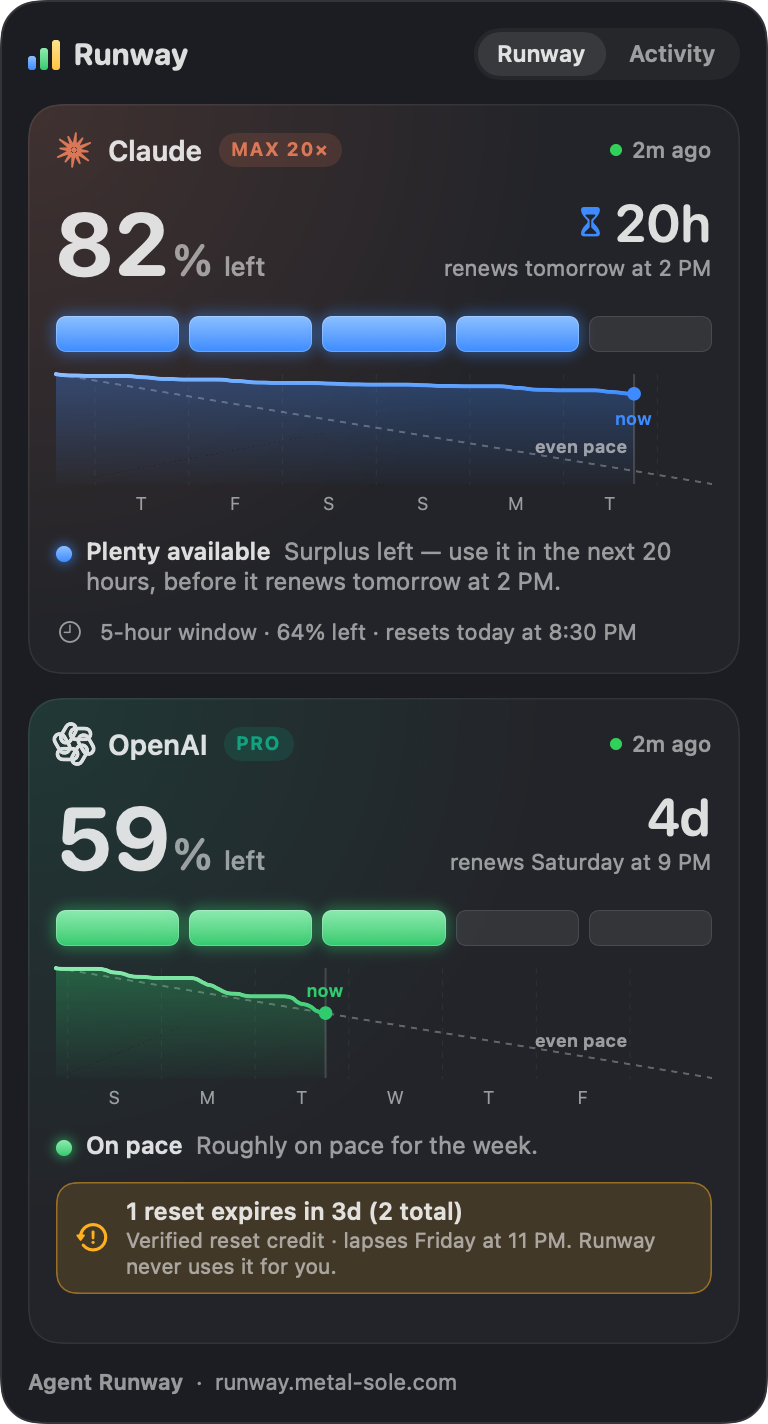
Agent Runway lives in your Mac's menu bar and shows how much of your weekly AI allowance is left — paced against how long until it renews. One glance tells you whether to push hard or ease off.
 Tue 9:41 AM
Pacing, not prediction
Runway compares the allowance you have left with the time left in your weekly window. Burn faster than the clock and the cells warm up; bank a surplus and they cool to blue.
⏳ appears when you're blue and renewal is under 48 hours away: a nudge to use the surplus before it resets.
What's inside
Your allowance across the week against the even-pace diagonal. Above the line, you're ahead.
Surplus about to reset gets an hourglass. Reset credits are called out a week before they lapse — Runway never spends one.
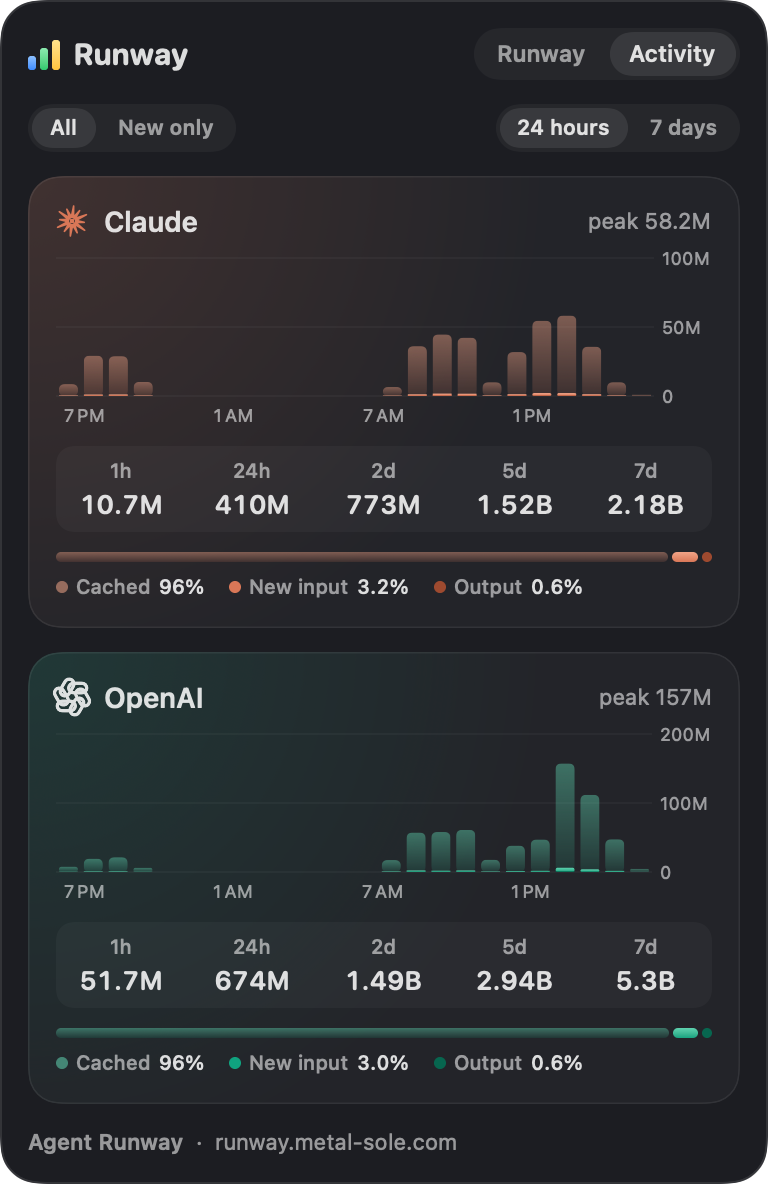
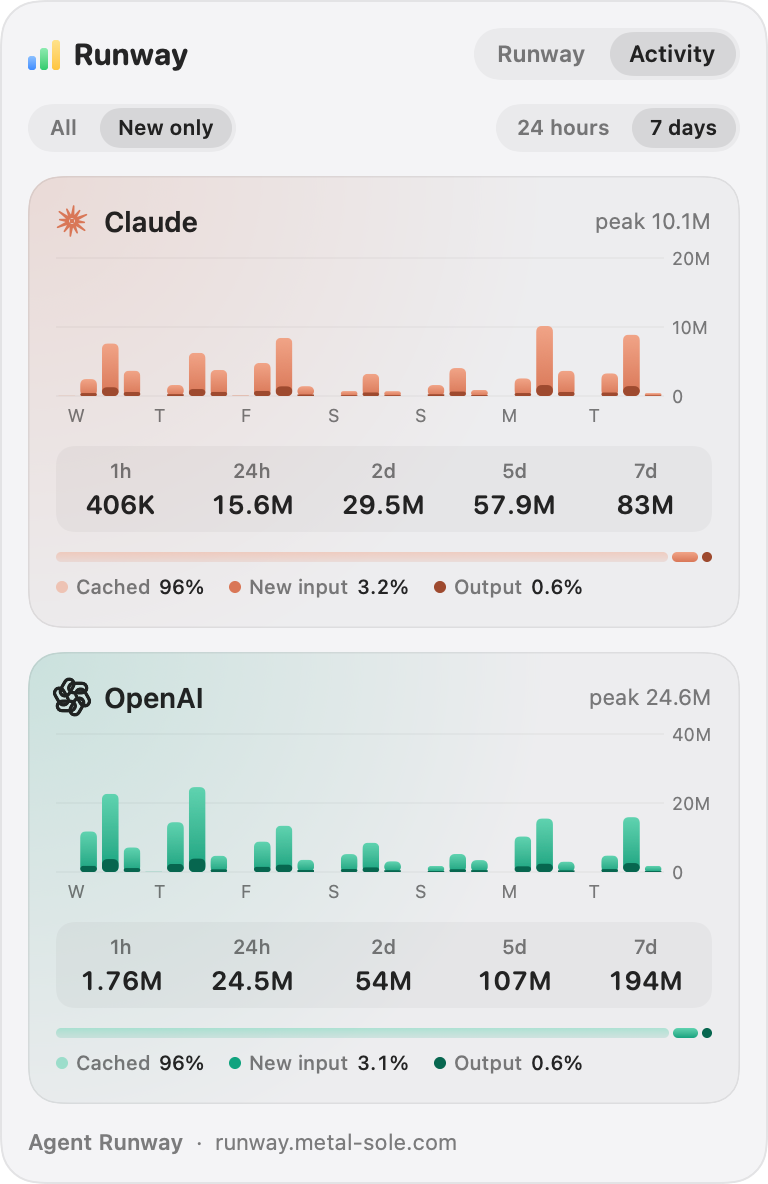
Hourly or six-hourly bars for this Mac, split into cached history, new input and output.
A 6 AM notification with one line per provider, phone-friendly: 🟦🟦🟦🟦⬛ Claude · 86% · 24h ⏳
Copy the panel as a picture — title, cells and all — and paste it straight into a chat.
Offline, signed out, CLI missing, enterprise plan — it says exactly that, keeps the last good reading, and retries.
Activity
Most of what an agent "uses" is its own history, re-read from the prompt cache on every turn. The Activity tab draws that as frosted glass, with the new input and output rising inside it — then flips to New only to show what you really added.
Read from the session logs Claude Code and Codex already keep on your Mac. Each byte is read once; after the first scan, refreshes take a fraction of a second.
The same usage data behind Claude Code's /usage screen. When its sign-in needs refreshing, Runway runs claude -p /usage — a local command that costs zero tokens.
The Codex CLI's app-server, asked only for account and rate-limit reads.
The CLIs' own session logs, read in place on your Mac.
Read-only by design
Get started
Unzip AgentRunway.zip and drag Agent Runway to Applications.
Claude Code on a Claude plan, and/or Codex (npm i -g @openai/codex, then codex login).
Runway checks hourly, when you open it, and updates itself quietly with Sparkle.
No. Every check is a read. Claude's fallback, claude -p /usage, is a local command with no model call: zero tokens, zero cost. Codex is asked only for account and rate-limit data.
App Store apps must run in Apple's sandbox, which forbids exactly what Runway needs: running the claude and codex command-line tools and reading their session logs. Instead it's signed with a Developer ID and notarized by Apple, so it opens without warnings and never expires.
Only the usage requests the CLIs themselves make to Anthropic and OpenAI, plus a daily update check. Runway has no server, no account and no analytics. Its readings stay in ~/Library/Application Support/AgentRunway.
There's no personal weekly allowance to pace, so Runway says so instead of guessing — and the Activity tab still shows your token burn.
The percentage comes straight from the provider and is authoritative. The cells round to the nearest fifth, with any allowance at all keeping one cell lit and all five reserved for exactly 100%.
No. Agent Runway is an independent utility and isn't affiliated with or endorsed by either company.